
QR Code Extraction
Attempt to detect and decode visible, supported QR codes on receipts and invoices.
Taggun attempts to detect and decode visible, supported QR codes. Success depends on code visibility, image quality, format, and the submitted document. It does not call tax-authority services, verify authenticity, or decide whether a document is compliant; your integration owns those steps.
Availability
AvailabilityThis separate account capability is included on the Startup plan and above, but it is not a normal Feature Settings registry control. Contact [email protected] if it is not available on an eligible account. See Plans & Feature Access.
How It Works
When the capability is available on the account, eligible verbose extraction requests attempt QR detection automatically; no additional request parameter or separate QR endpoint is required. A QR result is not guaranteed and depends on code visibility, image quality, format, and the submitted document. QR Code Extraction is available on these endpoints:
PDF input is supported on eligible verbose extraction endpoints, and QR output remains conditional. Page traversal order and selection behavior when multiple QR codes are present are not part of the public contract.
Response
When a supported QR code is detected and decoded, the verbose response can include entities.qrCodeData. The property may be omitted; when returned, its envelope may be empty or present without usable data, and its data value may be omitted or null. The text property is also optional and may be omitted, empty, or present without usable data; do not require it when data is usable. Absence is not proof that the document contains no QR code.
| Field | Description | Access Path |
|---|---|---|
| data | The raw decoded QR code content | entities.qrCodeData.data |
| text | A human-readable version, where it differs from the raw data | entities.qrCodeData.text |
Example
Example input
A QR code may appear near the bottom of a receipt, and the document may be photographed at an angle. Detection still depends on code visibility, image quality, format, and the submitted document.
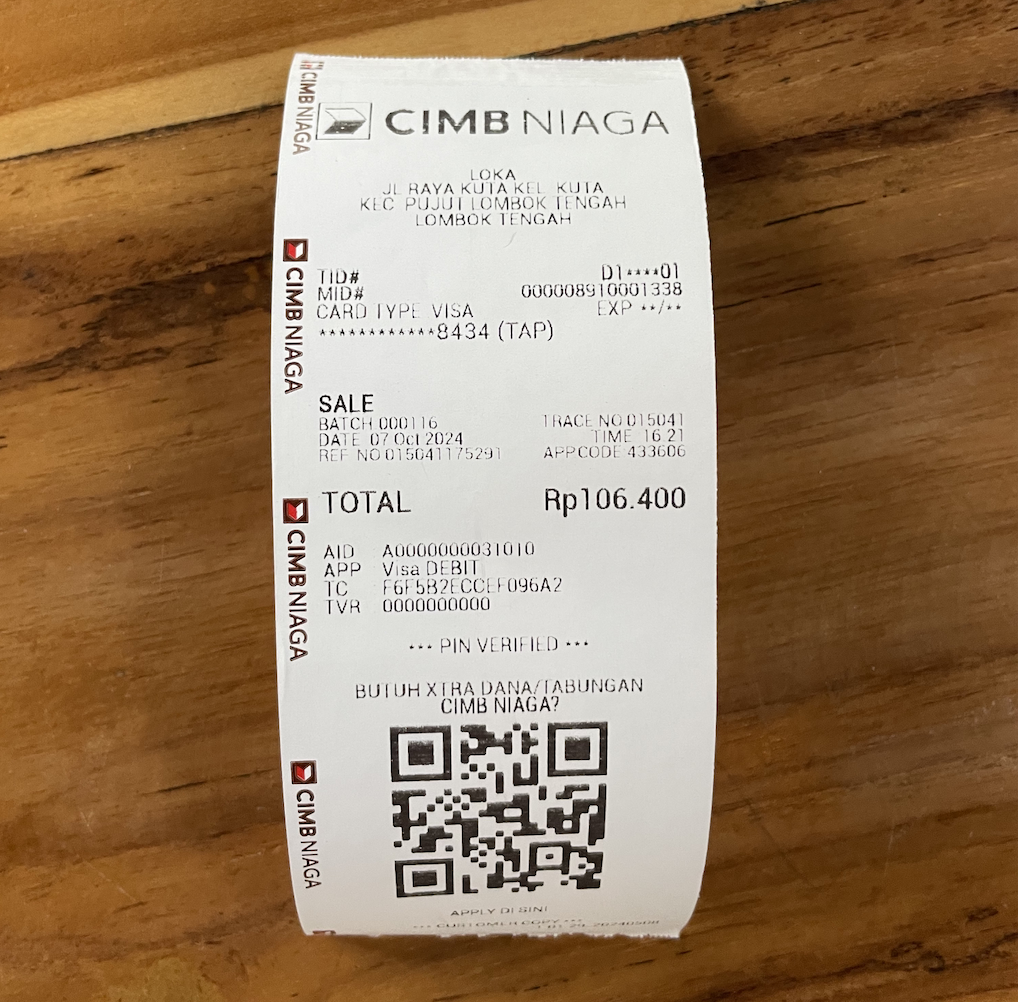
Illustrative receipt containing a visible QR code. The response excerpt separately demonstrates the documented response shape and was not derived from this image.
Response excerpt
When Taggun detects and decodes a supported code, the response can include its decoded content:
{
  "entities": {
    "qrCodeData": {
      "data": "01,10,031001900211,15004826,109.72,20190617,11467310187259010073,908E",
      "text": "01,10,031001900211,15004826,109.72,20190617,11467310187259010073,908E"
    }
  }
}
Where QR Codes Matter Most
The feature is globally applicable. The examples below describe contexts where QR content can appear; they are not current legal or compliance guarantees, and your integration must verify any authority-specific requirements:
- Brazil — SEFAZ URLs or other content on supported fiscal receipts. See Brazil.
- India — QR content on supported receipts or invoices. See India.
- China — QR codes on digital payment receipts (WeChat Pay, Alipay) and standard Fapiao invoice QR codes.
- Saudi Arabia — QR content associated with FATOORAH e-invoicing documents.
- Mexico — QR content on supported CFDI documents; Taggun decodes it but does not perform tax-authority verification.
Many other countries are adopting QR codes on financial documents — see Supported Countries & Languages for country-by-country coverage.
Need something not covered here? Contact [email protected] — see Contacting Support.
Updated 26 days ago